
Complex defense programs fragment across organizations and security boundaries. Integrate keeps every team on one continuously updated, ultra-secure schedule with AI-native capabilities and precision access.
One Real-Time Schedule. No Fragments.
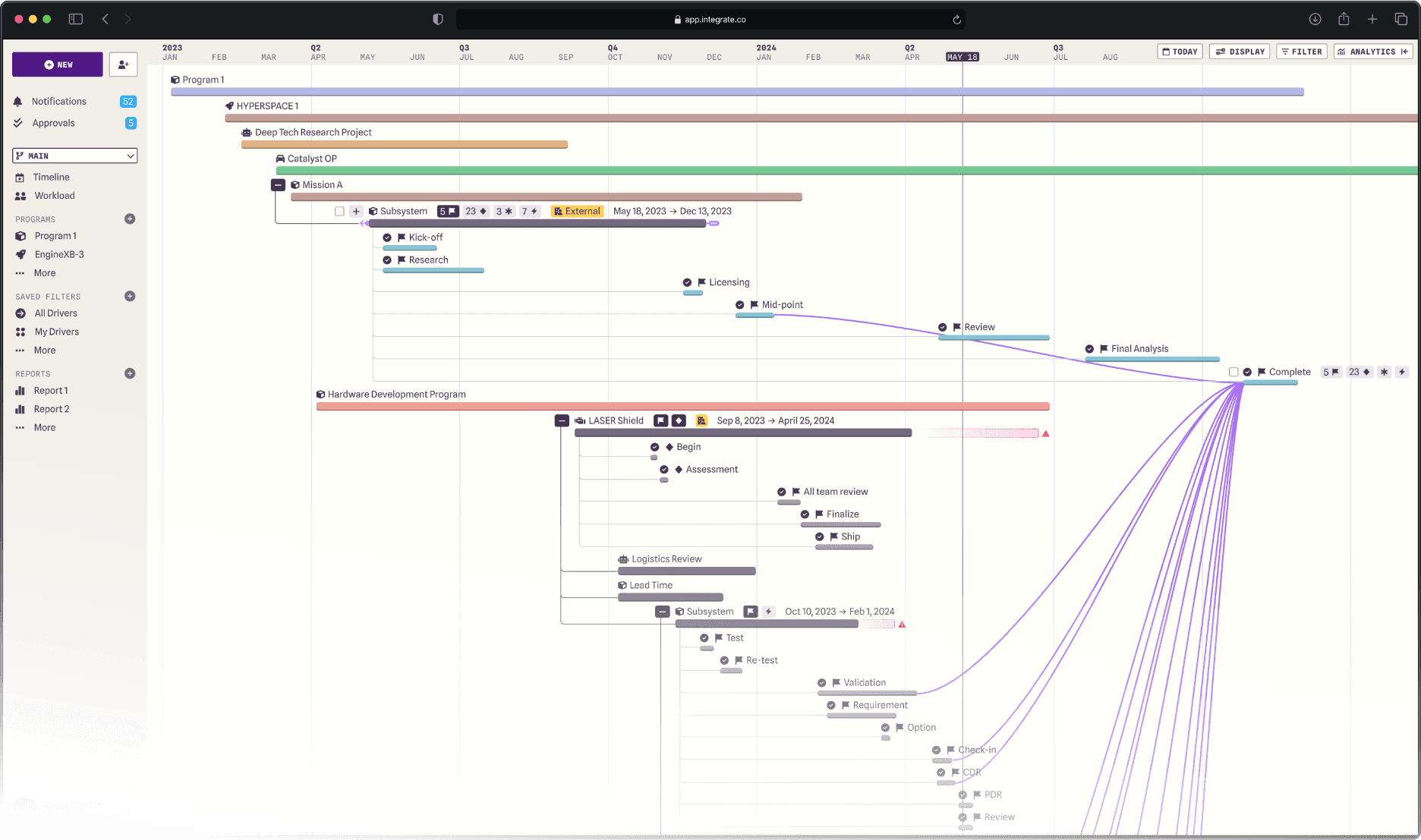
You can't do this anywhere else.
Unlike Jira, Smartsheet, and MS Project, Integrate is built specifically for cross-organizational collaboration.



// for defense
Available where critical work is done.
Available on NIPR (IL5)
Available on SIPR (IL6, Secret)
Available on JWICS (IL7, Top Secret)
CMMC Level 2 Certified
Built to meet ITAR, SOC 2, and emerging NIST compliance with more certifications on the way.
Your data stays protected in a secure, government-approved cloud.
Our comprehensive RBAC system ensures only authorized personnel can access sensitive information.
Every aspect of our architecture was designed with security as a core principle, not an afterthought.
// How it works
Programs that manage themselves.
Increased transparency and full-team involvement keeps everyone's schedules synchronized and your programs running smoothly.
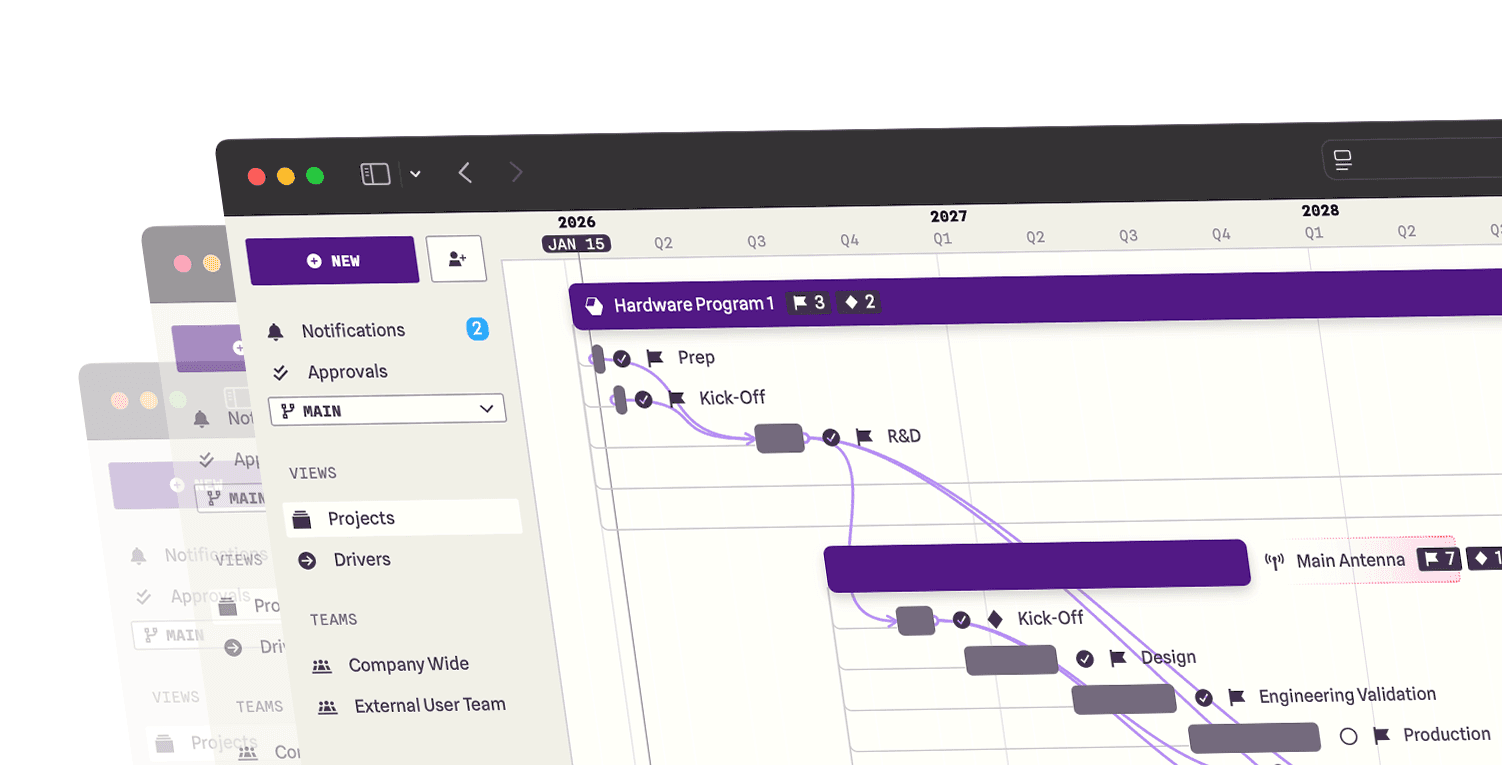
Add schedule drivers directly to hardware builds to dynamically create programs.
Assign those drivers to stakeholders inside or outside your company.
People can only access what’s been shared with them, nothing more.
Connect related drivers between programs and watch your schedule update automatically.
Eliminate communication breakdown by increasing accountability.
Model scenarios
Explore alternate timelines without affecting your baseline to see how changes might impact your program.
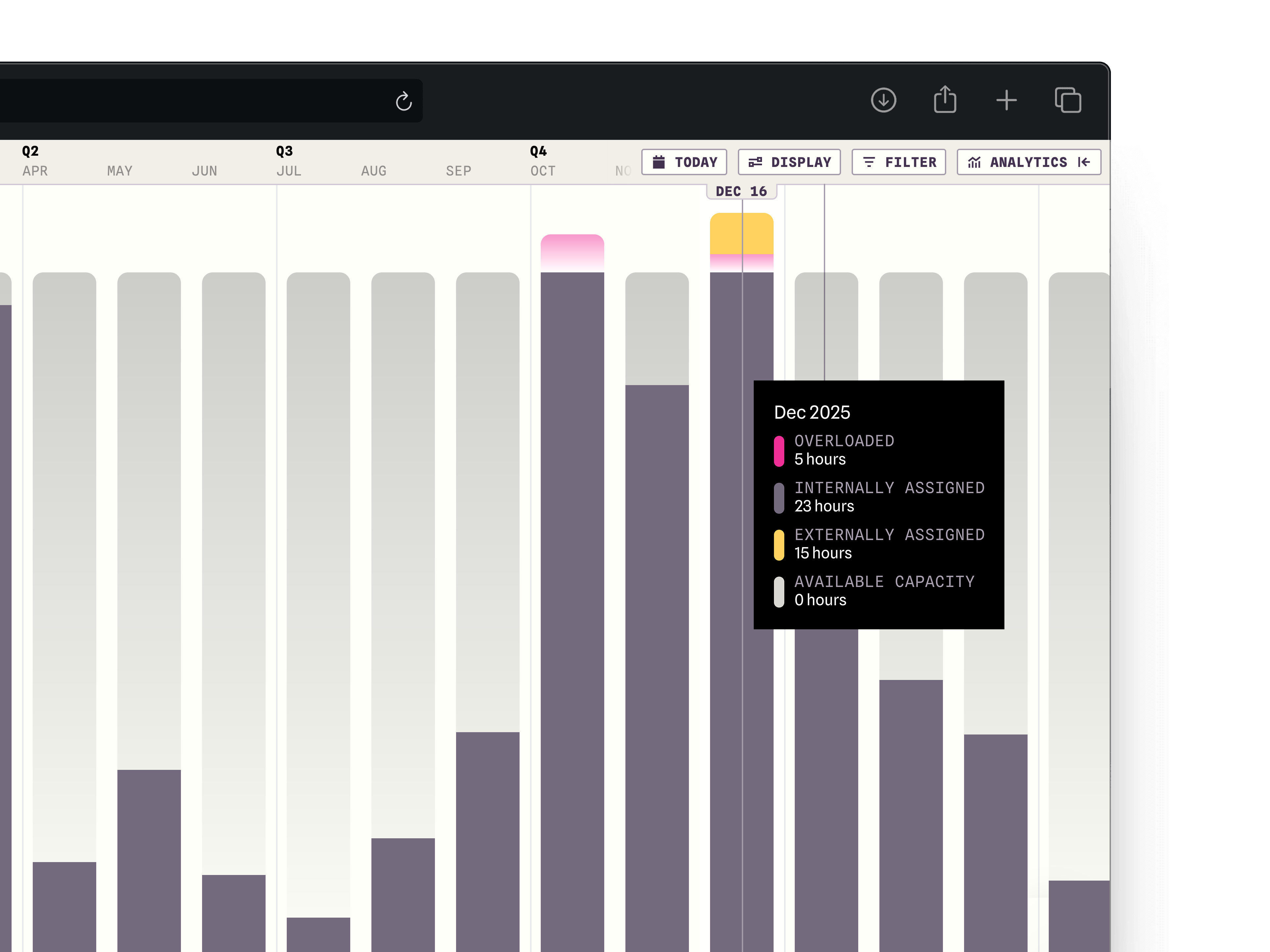
Balance resources
Visualize and manage team capacity across projects to prevent overload and keep execution on track.
Analyze progress
Track progress at a glance with a dynamic, real-time analytics view.
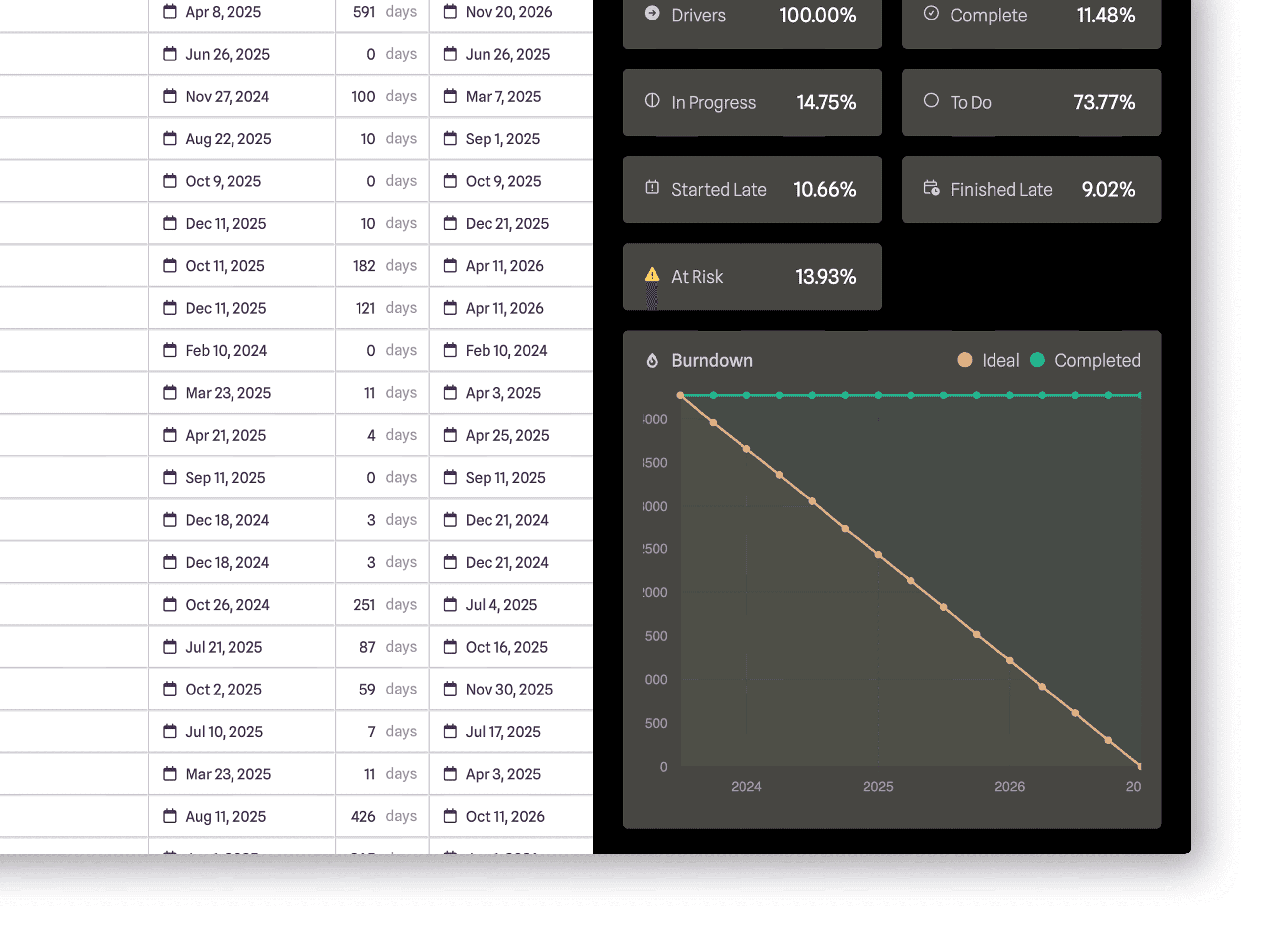
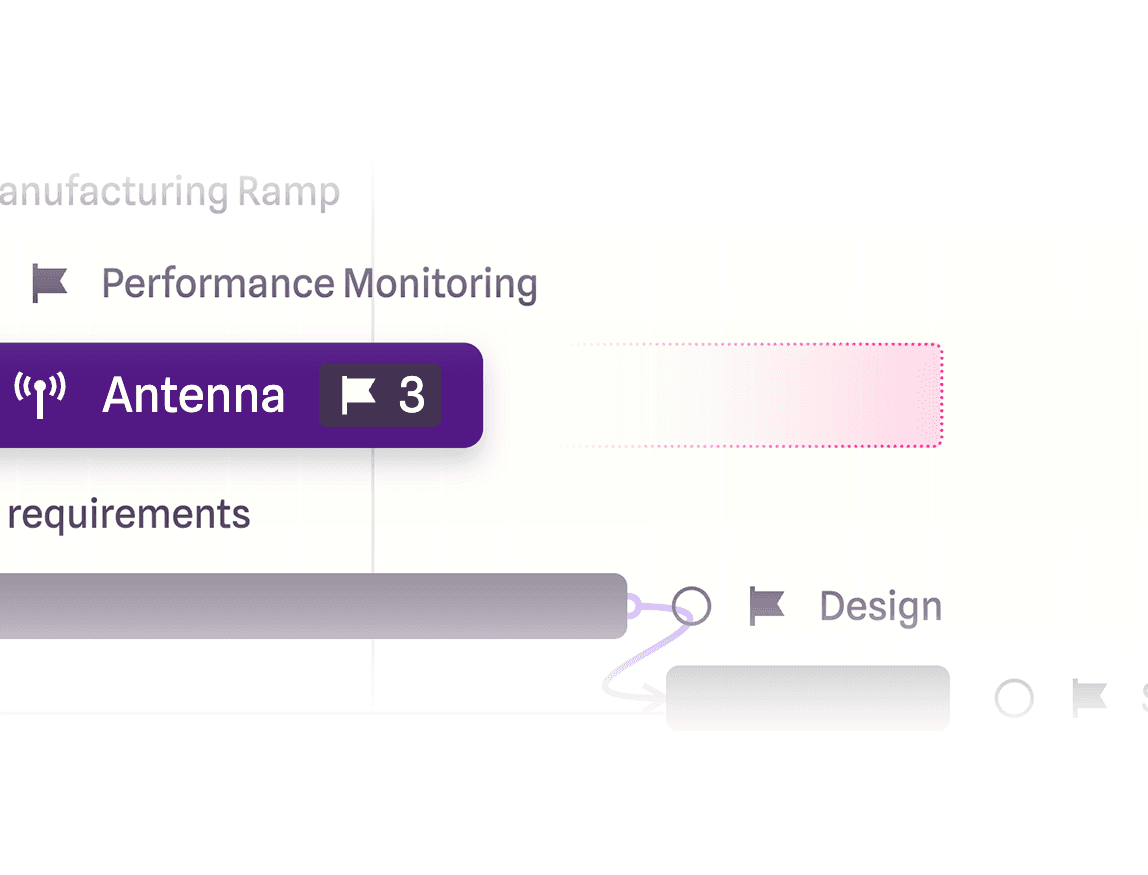
Discover risk
Spot schedule risk instantly when tasks exceed your project’s duration.
Stop emailing copies of outdated spreadsheets and bouncing between scheduling apps. It's all right here.

Dependencies
Connect interdependent tasks across mechanical, electrical, and software teams to prevent bottlenecks.

Resource Loading
Balance workloads across teams and suppliers to optimize time and capacity.

Vendor Comms
Centralize communication with suppliers to align on schedules, shipments, and changes.

Risk Discovery
Surface potential issues early, so you can mitigate risks before they become delays.

Roadmapping
Plan long-term hardware programs with a structured, high-level view of milestones and dependencies.

Tasking
Break down planning, assembly steps, and testing procedures into clear, actionable tasks to assign to your team.

Requirements
Capture and track evolving hardware requirements to ensure nothing gets lost in development.

Critical Path
Identify the key milestones that will make or break your hardware timeline.

File Sharing
Keep all your design files, CADs, BOMs, test reports, and specs and documentation in one place for seamless collaboration.

Approvals
Gate critical changes with structured approvals to maintain control over builds and revisions.

Customer Portal
Share select project details with customers to keep them informed and engaged.

Integrations
Connect your favorite tools to sync schedules, link spreadsheets, and streamline workflows.

Saved Filters
Filter your timeline to focus on what matters most, then save those configurations for quick access later.

Living Datasheets
Maintain up-to-date, dynamic datasheets that evolve with your hardware.

History Log
Track every update, decision, and change to maintain a full audit trail of your program.

Commenting
Keep discussions tied to specific tasks, requirements, and decisions for easy reference.

Long Timescales
Manage multi-year programs with clarity, zooming from the big picture to the finest details.
// PROTECT your business





Teams using real-time collaboration tools are 21% more efficient on average.
Increase efficiency by 21%


Free
Get started with Integrate's core program management & collaboration features.
Free, FOREVER:
Pro
Integrate's advanced features, ITAR & GovCloud compliance, and priority support.
EVERYTHING IN FREE, PLUS:
Not quite ready?
Get updates.
// FREQUENTLY ASKED QUESTIONS
FAQs
Get answers to the most-asked questions about Integrate.
What is Integrate?
Integrate is the first real-time, cross-boundary project management platform built for complex and classified programs in government, defense, and commercial. It enables government, contractors, and partners to manage the same program on one continuously synchronized schedule across organizational, security, and classification boundaries.
How does Integrate keep teams working from the same schedule?
Integrate keeps teams aligned through one live, continuously synchronized schedule that updates in real time across organizational, security, and classification boundaries. Changes to tasks, dependencies, and status are reflected immediately, eliminating manual reconciliation and preventing separate versions of the program from drifting apart.
How does Integrate control access to sensitive project data?
Integrate combines an ultra-secure platform with Precision Access controls. Each user, team, and organization sees only what they need, down to the individual task or object, without fragmenting or duplicating the program.
How is Integrate different from Jira, Smartsheet, or Microsoft Project?
Unlike general-purpose tools such as Jira, Smartsheet, and Microsoft Project, Integrate was built from the ground up to manage complex defense programs in real time across organizational, security, and classification boundaries on one continuously synchronized schedule.
What security and compliance standards does Integrate meet?
Integrate is SOC 2 Type II compliant, meets NIST 800-171 Rev. 2 requirements, is fully ITAR compliant with U.S.-based infrastructure and is CMMC Level 2 certified. Deployed on Second Front Systems' DoW-accredited Game Warden platform, Integrate operates commercially and on NIPR (IL5), SIPR (IL6), and JWICS (IL7, Top Secret) through applicable authorizations and reciprocity agreements. Integrate is the first and only project management platform deployed to JWICS. Facility clearance adjudication and deployment to certain SAP networks are in progress.
What types of organizations use Integrate?
Integrate is built for government, defense, and commercial organizations managing complex programs. This includes DoD organizations across every military service, government PMOs, defense contractors, aerospace, space, manufacturing, energy, robotics, and critical infrastructure. Customers include the U.S. Space Force and Firefly Aerospace.
Can contractors and government program offices collaborate on the same program in real time?
Yes. Primes, subcontractors, and government program offices can collaborate on the same real-time, cross-boundary schedule, with Precision Access controlling what each user and organization can see down to the task level.
